 Homelab Hand
 App integrations
Stats, actions and alerts for Sonarr, qBittorrent, Pi-hole and more – and how to add any app.
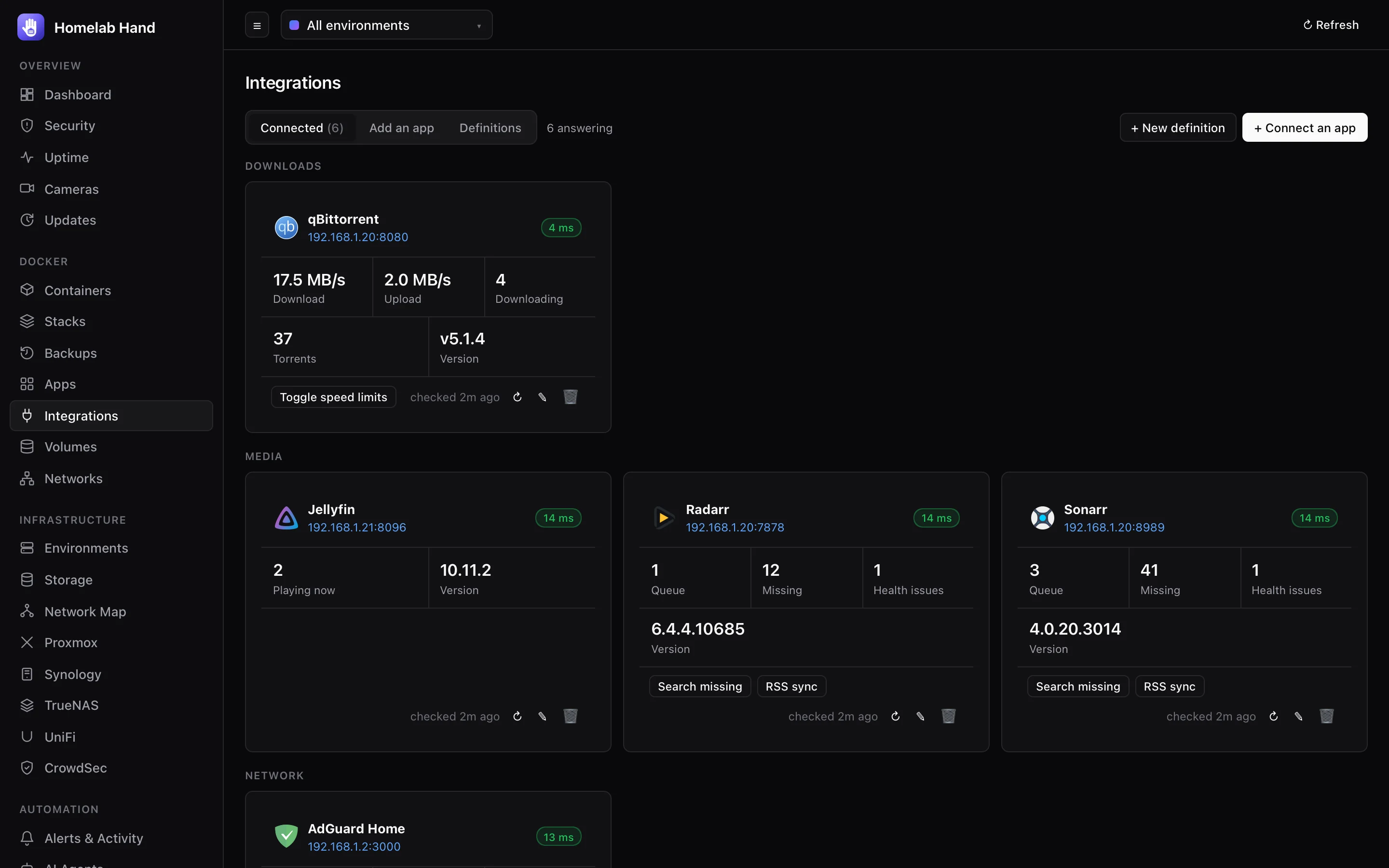
App integrations show live stats, one-tap actions and alerts for the apps you run. Every app is described by a short YAML definition, so you can add any app with an HTTP API without waiting for a new release, and share definitions with others.
Supported apps
21 apps are built in:
| Category | Apps |
|---|---|
| Media | Sonarr, Radarr, Lidarr, Readarr, Prowlarr, Bazarr, Jellyfin, Tautulli, Overseerr / Jellyseerr, Audiobookshelf, Immich, Tdarr |
| Downloads | qBittorrent, SABnzbd, NZBGet |
| Network | Pi-hole, AdGuard Home, Nginx Proxy Manager |
| Home & documents | Home Assistant, Paperless-ngx |
| Infrastructure | Portainer |
Turn the feature on or off under Settings → Modules → App integrations.
Connecting your apps
Found on your servers
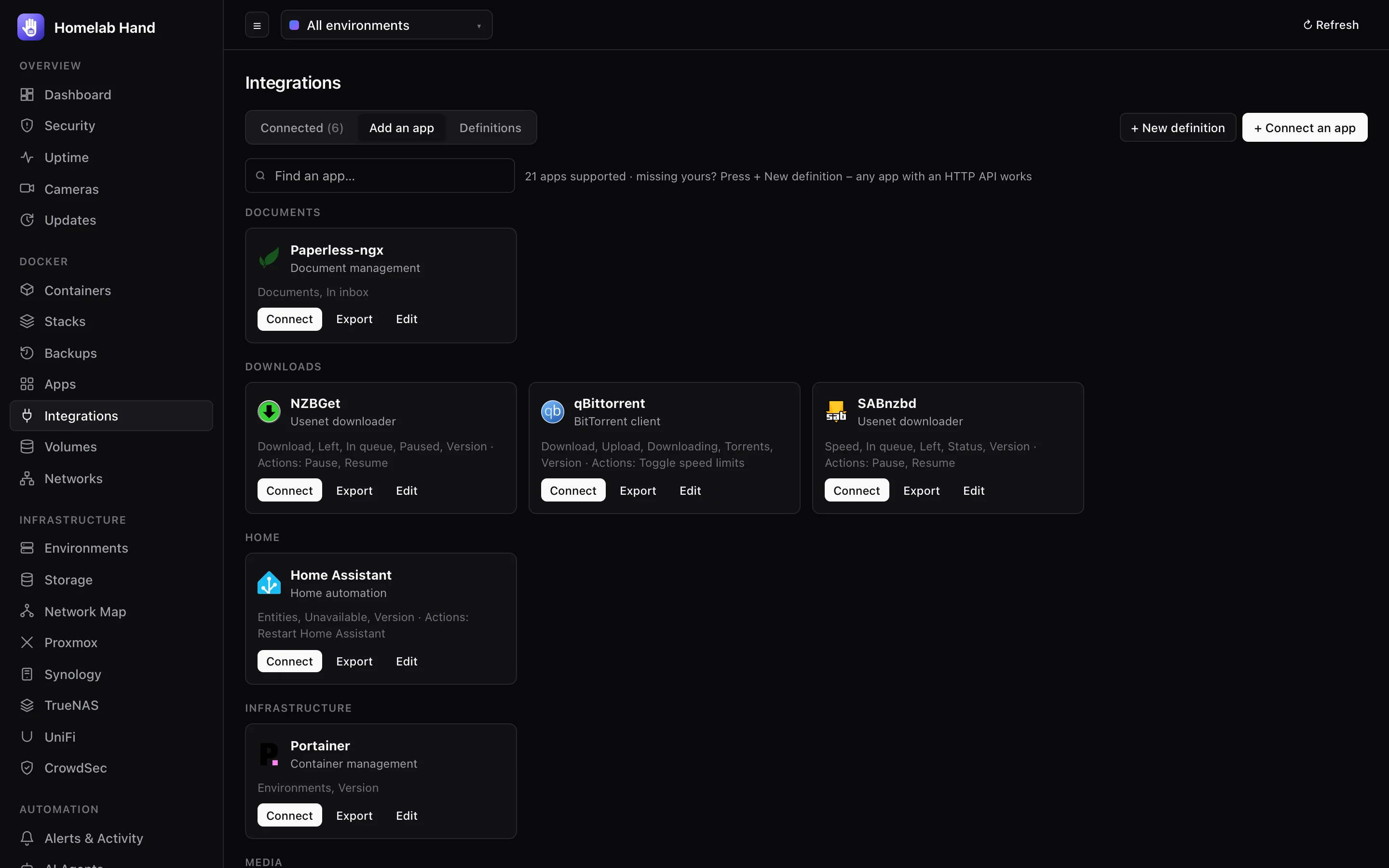
Containers whose image matches a definition are listed at the top of the page with a Connect button. The hub works out the address from the container's published port, or for host-networking containers, the host's address and the app's usual port. Stopped containers are shown but greyed out.
Connect all automatically
Many apps keep their API key in a config file inside their container. Sonarr, Radarr, Prowlarr, Lidarr and Readarr use config.xml, Bazarr uses config.yaml, Tautulli uses config.ini, and SABnzbd uses sabnzbd.ini. Others, like linuxserver's NZBGet image, take the password from an environment variable. Connect all automatically reads these for every running app it can fully set up by itself, then connects them in one go. It reports which ones still need you, and why (for example "needs username, password").
Your keys never leave the hub. The hub reads them directly from the container and stores them encrypted. Your browser and phone only learn which fields were found, never their values. Fields filled this way show "found automatically" in the connect form.
Connecting one by hand
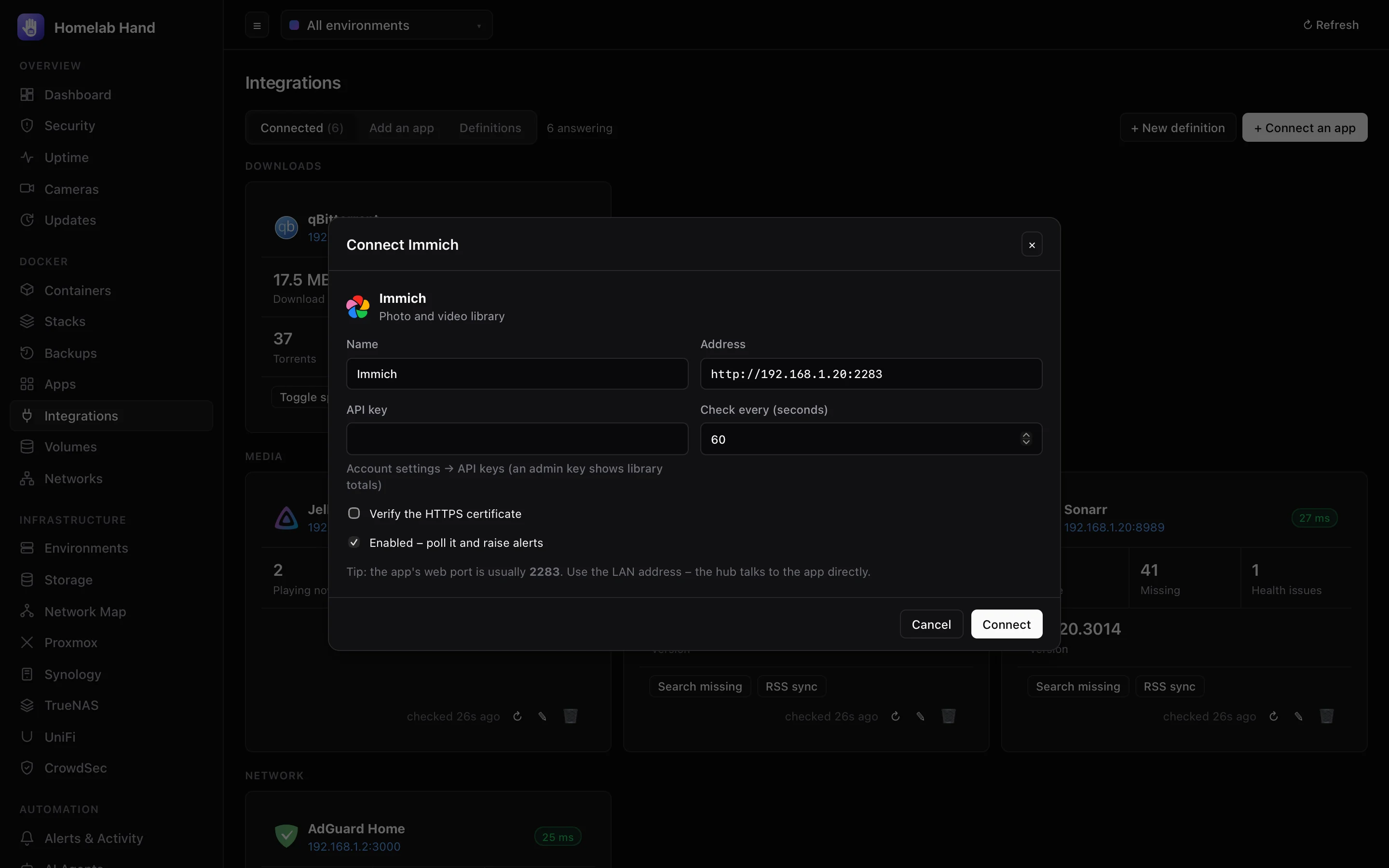
- Add an appOpen the Add an app tab (or press + Connect an app) and pick the app.
- AddressUse the LAN address and port, e.g.
http://192.168.1.20:8989. The hub talks to the app directly, not through your reverse proxy. - CredentialsFill in what the app needs. Each field has a hint saying where to find it in the app. Secret fields are stored encrypted. When editing, leave a saved secret blank to keep it.
- OptionsCheck every (default 60 s), Verify the HTTPS certificate (off for self-signed), and Enabled.
- ConnectThe hub checks it straight away and tells you if the app refused the credentials or didn't answer.
Using integrations
- Cards show the app's status and response time, its stats (queue, missing, speeds, streams…), when it was last checked, and any error.
- Actions are buttons such as Search missing, RSS sync, Pause downloads, Toggle speed limits or Pause protection 5 min. Actions that change a lot ask you to confirm first.
- ↻ checks now, ✎ edits, 🗑 disconnects (the app itself isn't touched).
- Alerts:
integration.downwhen an app stops answering,integration.upwhen it's back, andintegration.alertfor anything its definition watches (e.g. "Sonarr reports 2 health issues"). - On the iPhone app: side menu (swipe from the left edge) → Integrations, with the same stats, actions and "Connect all automatically".
Adding any app: definitions
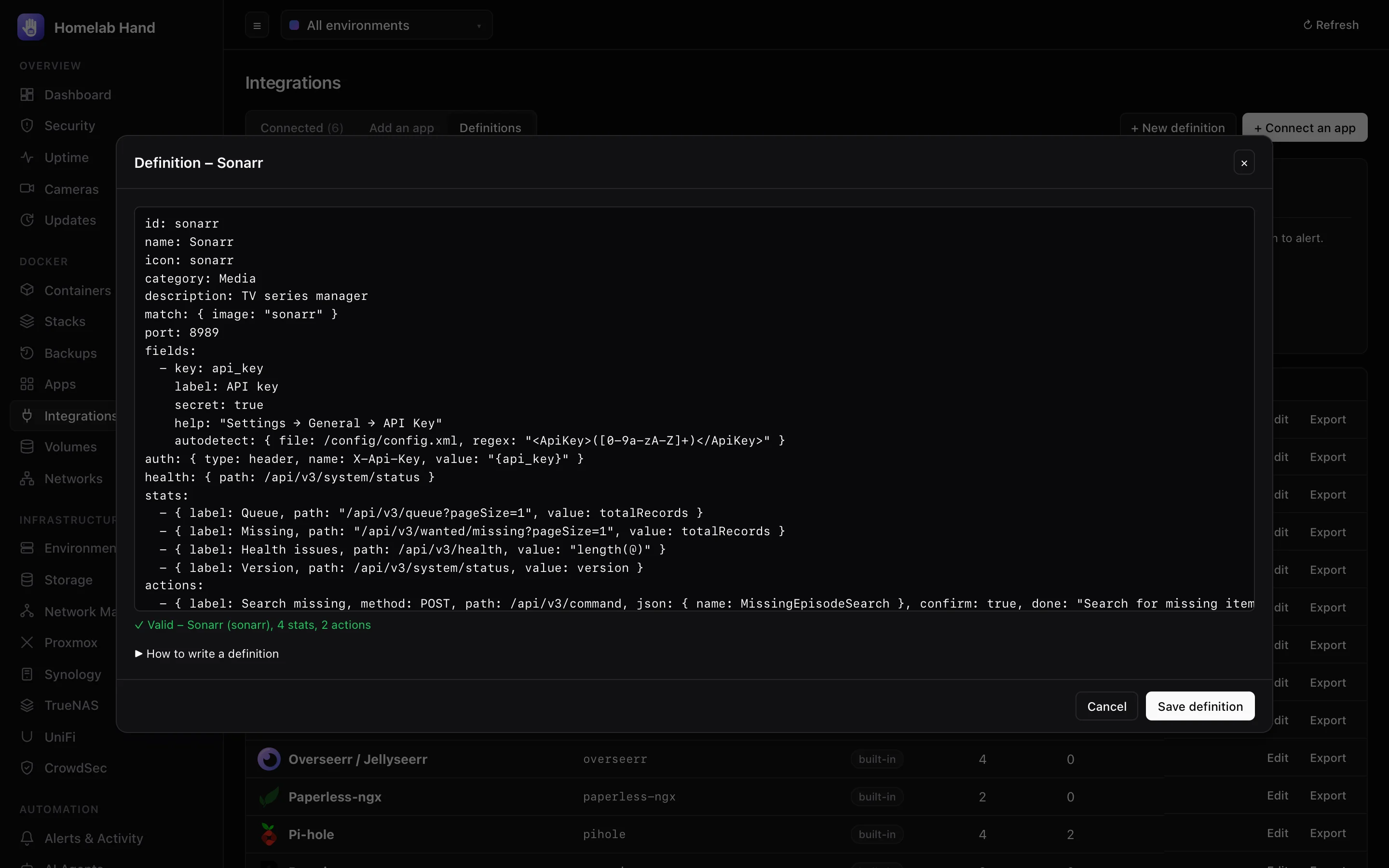
Open the Definitions tab:
- + New definition opens the editor with a template. It validates as you type and shows how many stats and actions it found.
- Import from a URL takes a raw
.yamllink (a GitHub raw file or a gist). Import a file takes a.yamlfrom your computer. - Edit on a built-in definition saves your own copy, which takes priority. Delete your copy to go back to the built-in one.
- Export downloads any definition, to share it or keep it in git.
A complete example
id: sonarr                      # a-z, 0-9 and dashes; unique
name: Sonarr
icon: sonarr                    # a dashboard-icons name, or an image URL
category: Media
description: TV series manager
match: { image: "sonarr" }      # regex on the container image → "Found on your servers"
port: 8989                      # the app's port inside the container
fields:                         # what you fill in when connecting
  - key: api_key
    label: API key
    secret: true                # stored encrypted, never shown again
    help: "Settings → General → API Key"
    autodetect: { file: /config/config.xml, regex: "<ApiKey>(.+)</ApiKey>" }
auth: { type: header, name: X-Api-Key, value: "{api_key}" }
health: { path: /api/v3/system/status }              # any 2xx answer = up
stats:
  - { label: Queue, path: "/api/v3/queue?pageSize=1", value: totalRecords }
  - { label: Missing, path: "/api/v3/wanted/missing?pageSize=1", value: totalRecords }
  - { label: Health issues, path: /api/v3/health, value: "length(@)" }
  - { label: Version, path: /api/v3/system/status, value: version }
actions:
  - { label: Search missing, method: POST, path: /api/v3/command,
      json: { name: MissingEpisodeSearch }, confirm: true, done: "Search started" }
alerts:
  - { stat: Health issues, op: ">", value: 0, severity: warning, message: "{name} reports {value} health issue(s)" }
  - { op: down, severity: warning, message: "{name} isn't answering" }
Reference
| Key | Meaning |
|---|---|
id, name | Required. id is lower-case letters, digits and dashes. Saving a definition with a built-in's id overrides it. |
icon, category, description | How it's shown. Category groups the cards and the catalogue. |
match.image | A regular expression tested (case-insensitively) against each container's image, for "Found on your servers". |
port | The app's port inside the container. Used to pick the right published port, and for host-networking containers. |
fields | A list of { key, label, secret, help, optional, autodetect }. Use the values anywhere as {key}. |
fields[].autodetect | { file: /path, regex: "…(capture)…" } reads the value from a file in the container. { env: NAME } reads an environment variable of the container. Both can be given; the environment variable wins. |
auth.type | none, header (name + value), query (name + value, added to every URL), bearer (value), basic (username + password) or login. |
login | For auth.type: login: { path, method, form | json }. The hub signs in, reuses the session cookie for 30 minutes, and signs in again when the app says the session ended. For token logins add token: <JMESPath into the answer>, token_header and token_prefix (e.g. "Bearer "). |
health | A call that answers 2xx when the app is fine. A 401/403 is reported as "refused the credentials". |
stats[] | { label, path, method, json | form, value, format }. Calls shared by several stats are made once per check. |
value | A JMESPath expression on the JSON answer: totalRecords, data.count, length(@), length([?NowPlayingItem]), join('.', [to_string(major), to_string(minor)]). Leave it out to use a plain-text answer as-is. |
format | bytes, speed (bytes/s), percent or duration (seconds). |
actions[] | { label, method, path, json | form, confirm, done }. done is the message shown when it worked. |
alerts[] | { stat, op, value, severity, message } with op one of > >= < <= == !=, or { op: down }. {name}, {stat} and {value} work in the message. An alert fires once when the condition starts and clears when it ends. |
Tips for writing one
- Find the app's API docs, or open its web UI with your browser's developer tools on the Network tab. The calls the UI makes are usually the API.
- Start with just
healthand one stat, connect it, and add more once that works. Errors per stat are shown on hover. - Apps behind a URL base (e.g.
/prowlarr): either include it in the instance address (http://host:9696/prowlarr) or let the hub follow the app's redirect. Redirects are followed only while they stay on the same app. - Share what you write: Export gives a single file anyone can import.
Safety
- A definition can only call paths on the app it's attached to. Every path must start with
/, and full URLs are rejected, so a definition can't send your keys anywhere else. - Redirects are followed only if they stay on the same scheme, host and port.
- Responses are capped at 4 MB, and secrets are stored encrypted.
- Only admins can add definitions, connect apps or run actions.
Troubleshooting integrations
| Message | What to do |
|---|---|
| The app refused the credentials (HTTP 401/403) | Check the key or password in the app. For NZBGet in the linuxserver image, the password comes from NZBGET_PASS, not the config file. Use the app's Control username/password, not a restricted user. |
| The app redirected somewhere else | The app wants a different address, often a URL base or https. Put the full base in the address. |
| No web address found | The container publishes no port the hub can match. Connect it by hand with the right address. Stopped containers have no address until they're running. |
| HTTP 400 on a stat | The path or its query is wrong for your app version. Check the API docs and edit the definition. |
| Stats show "–" | The value expression didn't match the answer. Hover the stat for the error, and compare with the JSON the app returns. |