 Homelab Hand
 Dashboard & uptime
The dashboard, Now streaming, and Uptime-Kuma-style monitors for devices and services.
Dashboard
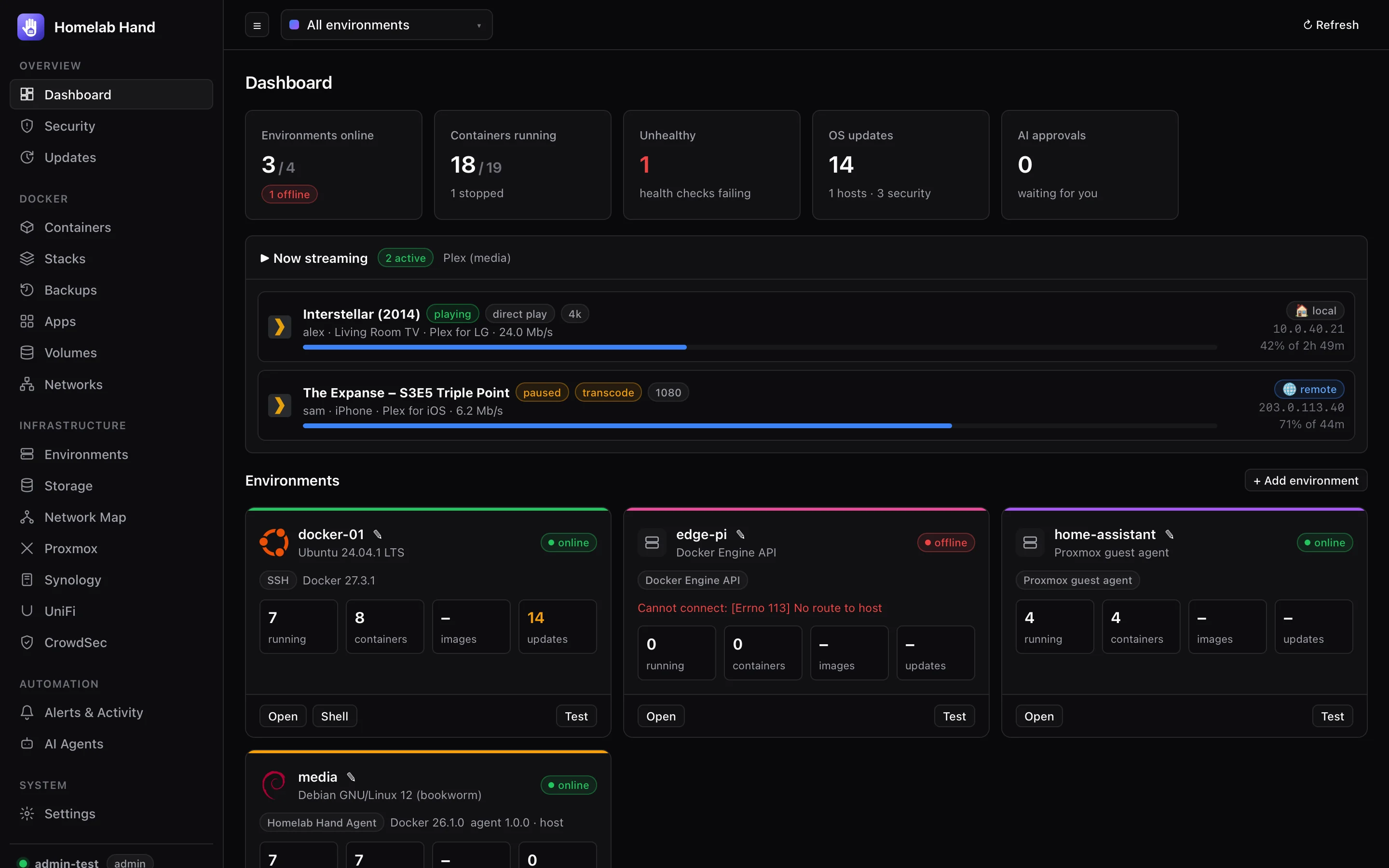
- Headline stats: environments online, containers running, unhealthy containers, pending OS updates (with security count) and AI actions waiting for approval. Click any of them to jump to the details.
- Environment cards: status, connection type, Docker and agent versions, running/total containers, images and pending updates, with Open, Stacks, Shell and Test shortcuts. An offline environment shows the exact connection error.
- Integrations: Proxmox, Synology, TrueNAS and UniFi health at a glance.
- Recent activity: the latest alerts and audit entries.
Now streaming
Shown when a Plex, Emby or Jellyfin server is found, in a container or installed on a host. It lists who is watching what, on which device, their progress, direct play vs transcode, bandwidth, and whether the viewer is local or remote. It refreshes every 15 seconds.
- Plex: nothing to set up. The token is read from the server's own
Preferences.xmland kept in memory only. HTTPS-only servers are handled. - Emby / Jellyfin: paste an API key once into the panel (Emby: Dashboard → API Keys). It's stored encrypted.
If a stream doesn't appear, stop and restart it in the player. Some clients only report a session once playback starts properly.
Uptime monitors
Uptime-Kuma-style monitoring for the devices and services you choose. Find it under Overview → Uptime; the module is Uptime monitors.
Monitor types
| Type | Up when… | Good for |
|---|---|---|
| Ping | The host answers ICMP echo. | Servers, switches, printers. |
| TCP port | A connection to the port succeeds. | SSH, databases, game servers, anything listening. |
| HTTP(s) | The page answers with an accepted status code (default 200–399), and contains a keyword if you set one. | Websites and web apps. Warns 14 days before the TLS certificate expires. "Ignore TLS errors" for self-signed certificates. |
| Network presence (UniFi) | UniFi sees the device's MAC address connected, wired or Wi-Fi. | Cameras, TVs and IoT devices whose IP changes or that don't answer ping. Nothing is pinged. |
Adding monitors
- + Add New Monitor: pick a type, or use Pick a device from your network to fill the form from UniFi and your environments.
- + Add from UniFi: tick as many UniFi devices and clients as you like in one list. Each becomes a network-presence monitor, with shared group, retries, interval and alert options.
How status works
- HeartbeatEach monitor is checked every interval seconds (default 60).
- PendingA failed check makes it Pending. It's re-checked every 20 seconds.
- DownAfter the configured number of retries fail too, it's Down and a
monitor.downalert is sent. - Up againWhen it recovers you get
monitor.up, including how long it was down.
Phones and laptops drop off Wi-Fi when they sleep. Give them more retries (or untick alerts) so you don't get a notification every night. Urgent monitors send their down alert as critical, which is a Pushover emergency that repeats until you acknowledge it.
Reading the page
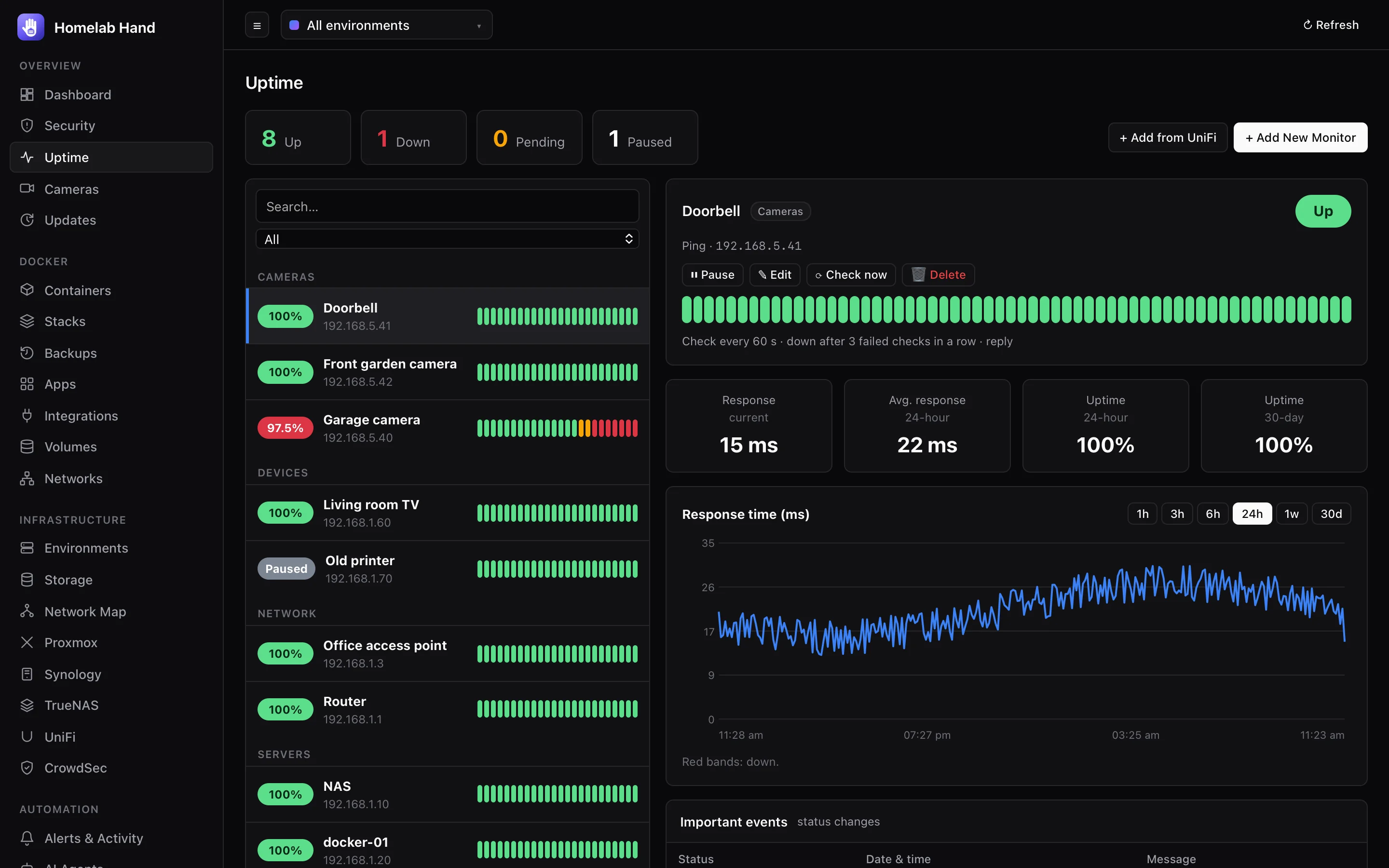
- Counts across the top: Up, Down, Pending, Paused. Click one to filter.
- List: monitors by group, with 24-hour uptime and the last heartbeats. Search by name or target.
- Detail: current and 24-hour average response, 24-hour and 30-day uptime, a response-time chart (1 hour to 30 days, with down periods shaded red; hover to inspect), and the list of status changes.
- Actions: Pause / Resume, Edit, Check now, Delete.
- History is kept for 30 days.